WebP vs AVIF: Which Image Format Is Better for the Web?
If you care about page speed, you have probably heard that WebP and AVIF both outperform JPG. But which one should you actually use? The answer is not as simple as "pick the newer one." Each format has tradeoffs in compression, encoding speed, and browser support that matter for real-world websites.
File Size Comparison: The Numbers
Here is what actual testing shows across a variety of image types:
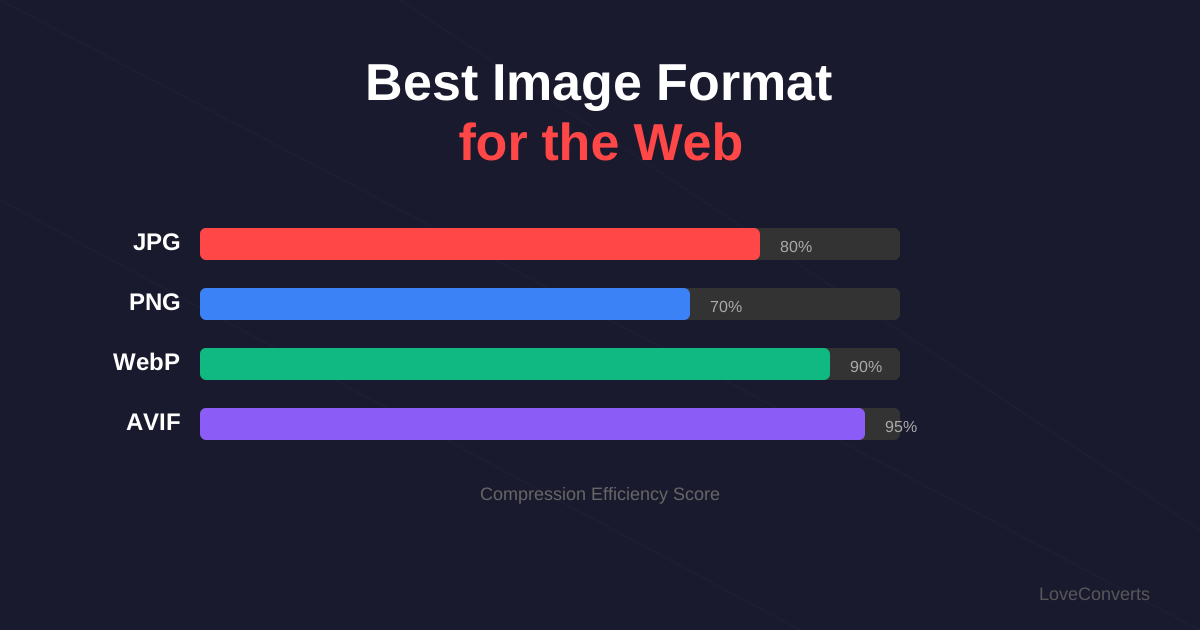
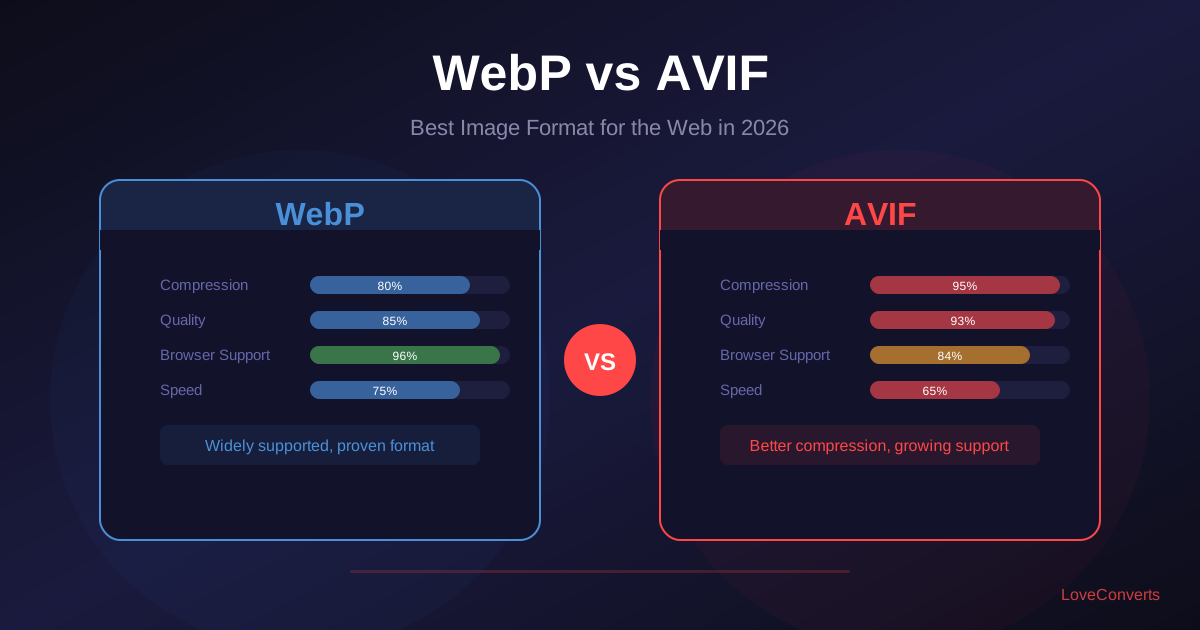
- Photos (nature, portraits, products): AVIF is 20-30% smaller than WebP. WebP is 25-35% smaller than JPG. So AVIF gives you roughly 40-50% savings over JPG.
- Graphics (screenshots, illustrations): The gap narrows. AVIF is 10-20% smaller than WebP lossless. Both are dramatically smaller than PNG.
- Tiny images (thumbnails, icons): The difference is often just a few hundred bytes. Not worth worrying about.
For a website with 50 images per page averaging 200KB each in JPG format, switching to WebP saves about 3MB per page load. Switching to AVIF saves about 5MB. That is meaningful, especially on mobile connections.
Browser Support in 2026
WebP is supported everywhere that matters. Chrome, Firefox, Safari, Edge, Opera, and all major mobile browsers. WebP support has been universal since Safari added it in 2020. You can use WebP without worrying about fallbacks for 99%+ of your audience.
AVIF has caught up significantly. Chrome added support in 2020, Firefox in 2021, and Safari in version 16 (2022). The remaining gaps are older iOS devices that have not updated past Safari 15, and some niche embedded browsers. As of early 2026, global AVIF support is around 95%.
If you want to use AVIF, serve it with a WebP fallback using the HTML picture element. This way modern browsers get the smallest file, and older browsers still get a good format.
Encoding Speed: A Major Practical Difference
This is where WebP and AVIF differ most, and it is something many comparison articles gloss over.
WebP encoding is fast. Converting a 2000x1500 photo to WebP takes 50-100 milliseconds on a typical server. This is fast enough for real-time conversion in API endpoints.
AVIF encoding is slow. The same image takes 2-5 seconds to encode as AVIF. For a batch of 100 images, that is 3-8 minutes of processing time versus a few seconds for WebP.
This matters if you are building a tool that converts images on the fly (like LoveConverts does). It also matters for build pipelines that process thousands of images. For a static website where you convert images once during build, the encoding speed is less important.
Try both formats yourself: convert an image to WebP and then to AVIF, and compare the output sizes and quality.
Visual Quality at the Same File Size
When you compare WebP and AVIF at the same file size, AVIF consistently looks better. AVIF preserves fine detail and texture more effectively, especially in areas with subtle gradients (skin tones, skies, fabric). WebP tends to smooth these areas slightly at aggressive compression levels.
At moderate compression (quality 75-85), the visual difference is subtle. At high compression (quality 30-50), AVIF has a clear advantage. If you are aggressively optimizing for the smallest possible files, AVIF gives you more headroom before quality becomes noticeable.
Which Format to Pick for Your Website
Here is the practical recommendation:
Use WebP if:
- You need maximum browser compatibility right now
- You process images in real time and need fast encoding
- You are already seeing good results with WebP and do not want to change
- Your images are mostly small thumbnails where the AVIF advantage is minimal
Use AVIF if:
- You want the absolute smallest files
- Your audience is mostly on modern browsers (check your analytics)
- You can set up a fallback chain (AVIF > WebP > JPG)
- You process images at build time, not in real time
Best approach for most sites: Use both. Serve AVIF to browsers that support it, fall back to WebP for the rest. The HTML picture element makes this straightforward, and the image compressor can output both formats.